Laravel Queues Explained: Moving Slow Work to the Background
Why some tasks should not run while the user waits, and how Laravel jobs, workers, retries and batches make background work simple.
 Mahmoud Anwar
4 min read
Queues & Jobs
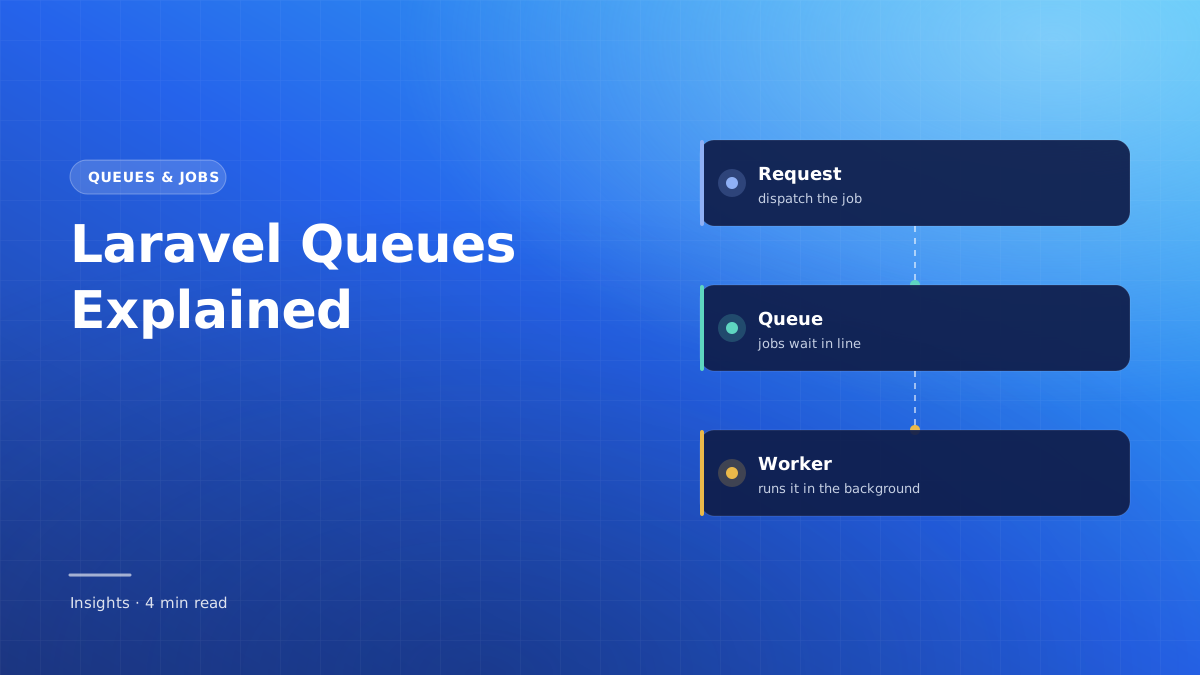
Some tasks are slow: sending emails, generating PDFs, importing a large CSV file or calling an external API. If they run while the user waits, the page feels stuck.
Laravel queues let you hand that work to a background process and reply to the user straight away. Here is how the pieces fit together.
- A job is a small class that describes one piece of background work.
- A worker is a long-running process that picks jobs from the queue and runs them.
- Plan for failure from day one: retries, backoff and the failed jobs table.
Why use a queue?
Imagine a user places an order. You need to save the order, email a receipt, notify the warehouse and update reports. Only the first step must happen before you reply. The rest can happen a few seconds later.
A queue is simply a waiting line for that later work. Your app adds tasks to the line, and a separate process works through them one by one.
Creating and dispatching a job
php artisan make:job SendInvoiceEmailclass SendInvoiceEmail implements ShouldQueue
{
use Queueable;
public function __construct(public Order $order) {}
public function handle(): void
{
Mail::to($this->order->customer)->send(new InvoiceMail($this->order));
}
}Dispatching is one line. The controller returns immediately while the email is sent in the background.
SendInvoiceEmail::dispatch($order);

// Or wait a little before running it
SendInvoiceEmail::dispatch($order)->delay(now()->addMinutes(5));Running workers
Jobs only run when a worker is listening. Locally you can start one in the terminal:
php artisan queue:work --tries=3 --backoff=10In production, a process manager such as Supervisor keeps workers running and restarts them if they stop. Remember to restart workers after each deployment so they load your new code:
php artisan queue:restartHandling failures
External services go down and networks time out. A good job expects that and decides what to do.
class SendInvoiceEmail implements ShouldQueue
{
    public int $tries = 3;
    public array $backoff = [10, 60, 300]; // seconds between attempts

    public function failed(Throwable $e): void
    {
        // Tell the team, log it, or mark the order for follow-up.
    }
}
Jobs that fail after every attempt land in the failed_jobs table. You can list and retry them with Artisan:
php artisan queue:failed
php artisan queue:retry all
Chains and batches
| Tool | Use it when | Example |
|---|---|---|
| Chain | Steps must run in order | Resize image → upload → notify user |
| Batch | Many similar jobs run in parallel | Import 10,000 CSV rows in chunks |
$batch = Bus::batch($rows->chunk(500)->map(fn ($chunk) => new ImportRows($chunk)))
    ->then(fn (Batch $batch) => Log::info('Import finished'))
    ->catch(fn (Batch $batch, Throwable $e) => Log::error($e->getMessage()))
    ->dispatch();

// Later: $batch->progress() returns a percentage
Practical tips
- Keep jobs small and focused; one job, one responsibility.
- Make jobs safe to run twice. Retries happen, so avoid charging a card twice.
- Use separate queues (for example
emailsandreports) so slow work does not block urgent work. - Use the
databasedriver to start; move to Redis when volume grows.
Summary
Queues keep your app responsive by moving slow work out of the request. Create small jobs, run workers reliably, plan for failures, and use chains and batches for multi-step or large tasks.

Laravel Queues in Practice: Jobs, Batching & Workers
Practical lessons on jobs, chaining, batching, failures, job middleware and running workers in production.
View Course